
The sortable package enables drag-and-drop behaviour in your Shiny apps. It does this by exposing the functionality of the SortableJS JavaScript library as an htmlwidget in R, so you can use this in Shiny apps and widgets, learnr tutorials as well as R Markdown. In addition, provides a custom learnr question type - question_rank() that allows ranking questions with drag-and-drop.
Installation
You can install the released version of sortable from CRAN with:
install.packages("sortable")And the development version from GitHub with:
# install.packages("remotes")
remotes::install_github("rstudio/sortable")
Examples
Rank list
You can create a drag-and-drop input object in Shiny, using the rank_list() function.
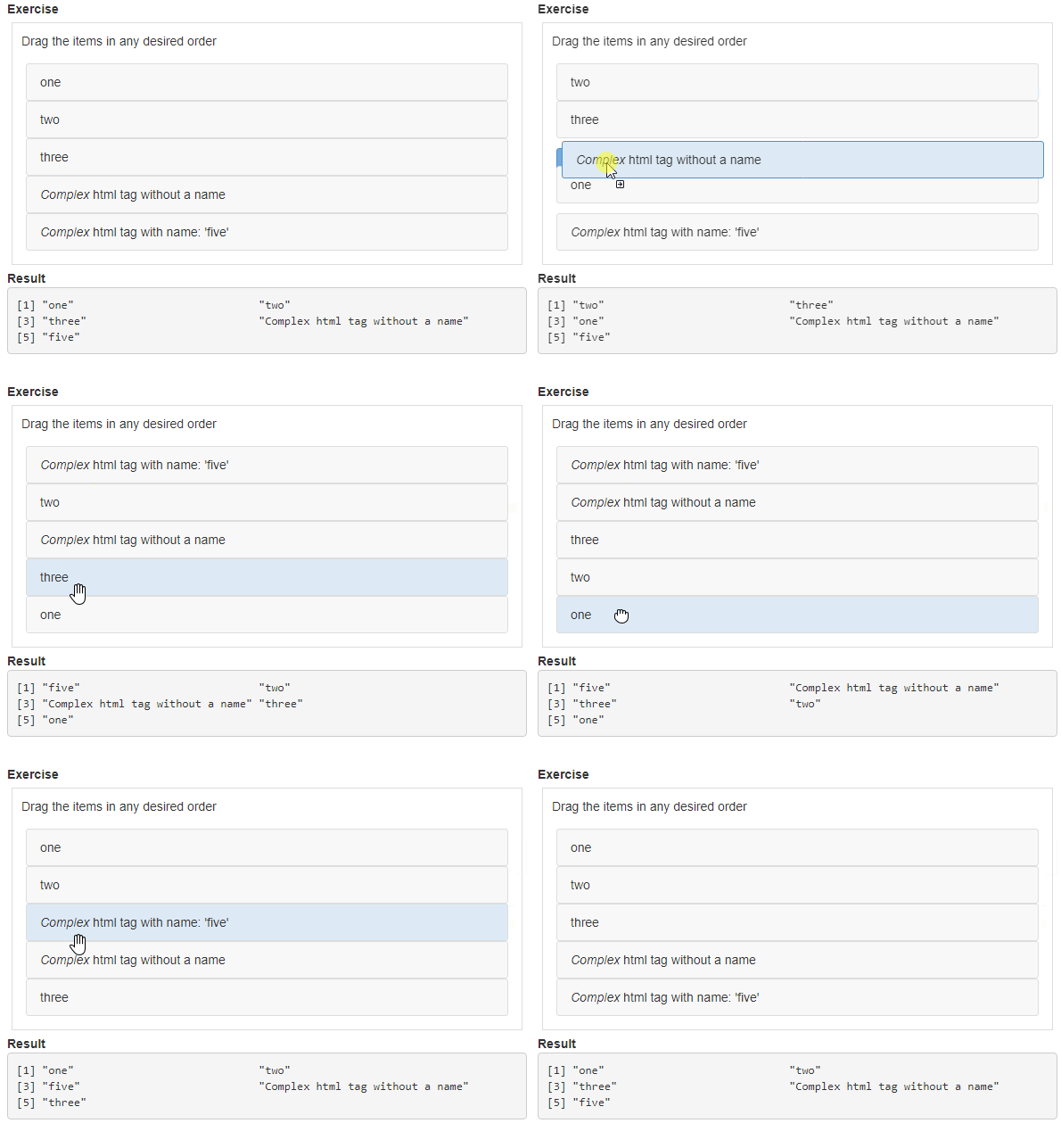
## Example shiny app with rank list

library(shiny)
library(sortable)

labels <- list(
  "one",
  "two",
  "three",
  htmltools::tags$div(
    htmltools::em("Complex"), " html tag without a name"
  ),
  "five" = htmltools::tags$div(
    htmltools::em("Complex"), " html tag with name: 'five'"
  )
)

rank_list_basic <- rank_list(
  text = "Drag the items in any desired order",
  labels = labels,
  input_id = "rank_list_basic"
)

rank_list_swap <- rank_list(
  text = "Notice that dragging causes items to swap",
  labels = labels,
  input_id = "rank_list_swap",
  options = sortable_options(swap = TRUE)
)

rank_list_multi <- rank_list(
  text = "You can select multiple items, then drag as a group",
  labels = labels,
  input_id = "rank_list_multi",
  options = sortable_options(multiDrag = TRUE)
)


ui <- fluidPage(
  fluidRow(
    column(
      width = 12,
    tags$h2("Default, multi-drag and swapping behaviour"),
      tabsetPanel(
        type = "tabs",
        tabPanel(
          "Default",
            tags$b("Exercise"),
            rank_list_basic,
            tags$b("Result"),
            verbatimTextOutput("results_basic")
        ),
        tabPanel(
          "Multi-drag",
            tags$b("Exercise"),
            rank_list_multi,
            tags$b("Result"),
            verbatimTextOutput("results_multi")
        ),
        tabPanel(
          "Swap",
            tags$b("Exercise"),
            rank_list_swap,
            tags$b("Result"),
            verbatimTextOutput("results_swap")
        )
      )
    )
  )
)

server <- function(input, output, session) {
  output$results_basic <- renderPrint({
    input$rank_list_basic # This matches the input_id of the rank list
  })
  output$results_multi <- renderPrint({
    input$rank_list_multi # This matches the input_id of the rank list
  })
  output$results_swap <- renderPrint({
    input$rank_list_swap # This matches the input_id of the rank list
  })
}

shinyApp(ui, server)
Bucket list
With a bucket list you can have more than one rank lists in a single object. This can be useful for bucketing tasks, e.g. asking your students to classify objects into multiple categories.
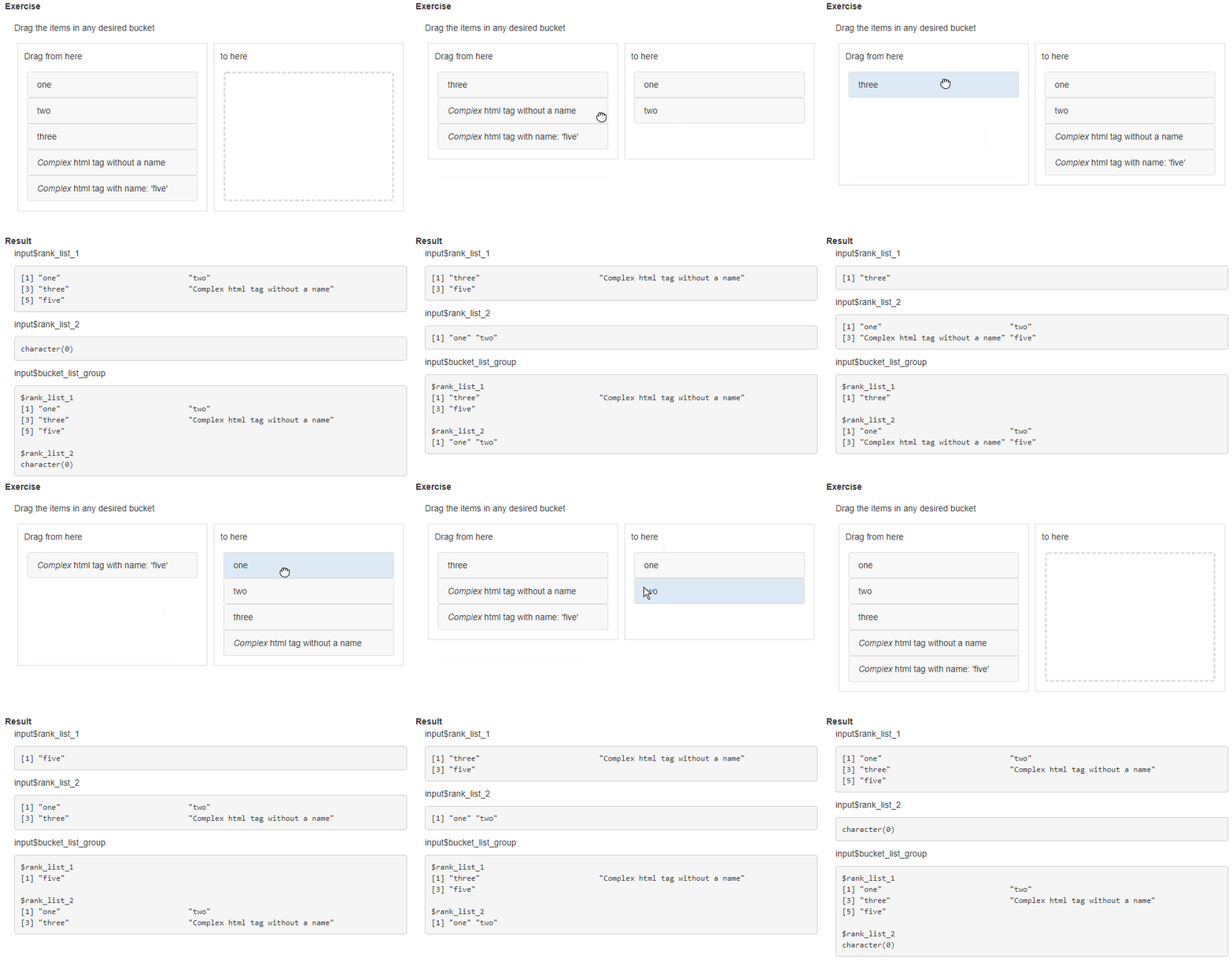
## Example shiny app with bucket list

library(shiny)
library(sortable)

ui <- fluidPage(
  tags$head(
    tags$style(HTML(".bucket-list-container {min-height: 350px;}"))
  ),
  fluidRow(
    column(
      tags$b("Exercise"),
      width = 12,
      bucket_list(
        header = "Drag the items in any desired bucket",
        group_name = "bucket_list_group",
        orientation = "horizontal",
        add_rank_list(
          text = "Drag from here",
          labels = list(
            "one",
            "two",
            "three",
            htmltools::tags$div(
              htmltools::em("Complex"), " html tag without a name"
            ),
            "five" = htmltools::tags$div(
              htmltools::em("Complex"), " html tag with name: 'five'"
            )
          ),
          input_id = "rank_list_1"
        ),
        add_rank_list(
          text = "to here",
          labels = NULL,
          input_id = "rank_list_2"
        )
      )
    )
  ),
  fluidRow(
    column(
      width = 12,
      tags$b("Result"),
      column(
        width = 12,

        tags$p("input$rank_list_1"),
        verbatimTextOutput("results_1"),

        tags$p("input$rank_list_2"),
        verbatimTextOutput("results_2"),

        tags$p("input$bucket_list_group"),
        verbatimTextOutput("results_3")
      )
    )
  )
)

server <- function(input, output, session) {
  output$results_1 <-
    renderPrint(
      input$rank_list_1 # This matches the input_id of the first rank list
    )
  output$results_2 <-
    renderPrint(
      input$rank_list_2 # This matches the input_id of the second rank list
    )
  output$results_3 <-
    renderPrint(
      input$bucket_list_group # Matches the group_name of the bucket list
    )

}


shinyApp(ui, server)
Add drag-and-drop to any HTML element
You can also use sortable_js() to drag and drop other widgets:
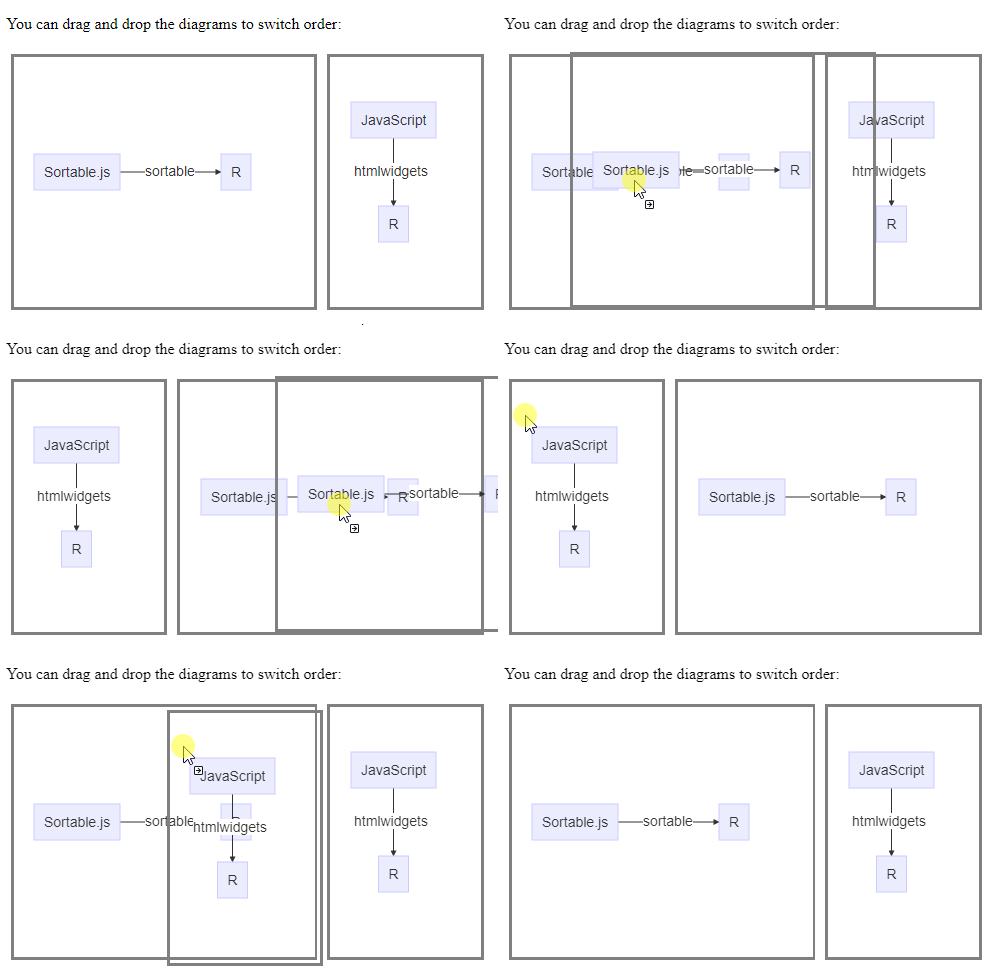
library(DiagrammeR)
library(htmltools)

html_print(tagList(
  tags$p("You can drag and drop the diagrams to switch order:"),
  tags$div(
    id = "aUniqueId",
    tags$div(
      style = "border: solid 0.2em gray; float:left; margin: 5px",
      mermaid("graph LR; S[SortableJS] -->|sortable| R ",
              height = 250, width = 300)
    ),
    tags$div(
      style = "border: solid 0.2em gray; float:left; margin: 5px",
      mermaid("graph TD; JavaScript -->|htmlwidgets| R ",
              height = 250, width = 150)
    )
  ),
  sortable_js("aUniqueId") # the CSS id
))
Related work
I learnt about the following related work after starting on sortable:
-
The
esquissepackage:“The purpose of this add-in is to let you explore your data quickly to extract the information they hold. You can only create simple plots, you won’t be able to use custom scales and all the power of ggplot2.”
-
There is also the
shinyjquipackage:“An R wrapper for jQuery UI javascript library. It allows user to easily add interactions and animation effects to a shiny app.”
-
The
shinyDNDpackage:Adds functionality to create drag and drop div elements in shiny.